
Mermaid support and markdown notes
View Markdowntld has deep integration with markdown and mermaid. tld can best-effort import most Flowchart diagrams from mermaid. Other diagram types had some initial work done but still in development. We do not plan on supporting all mermaid diagram types but in addition to Flowchart, C4 and Architecture diagrams are on the roadmap.
Markdown Note settings
Section titled “Markdown Note settings”There are three ways to associate a markdown file with the current view.
-
Local Note
-
File in Repo
-
Existing File
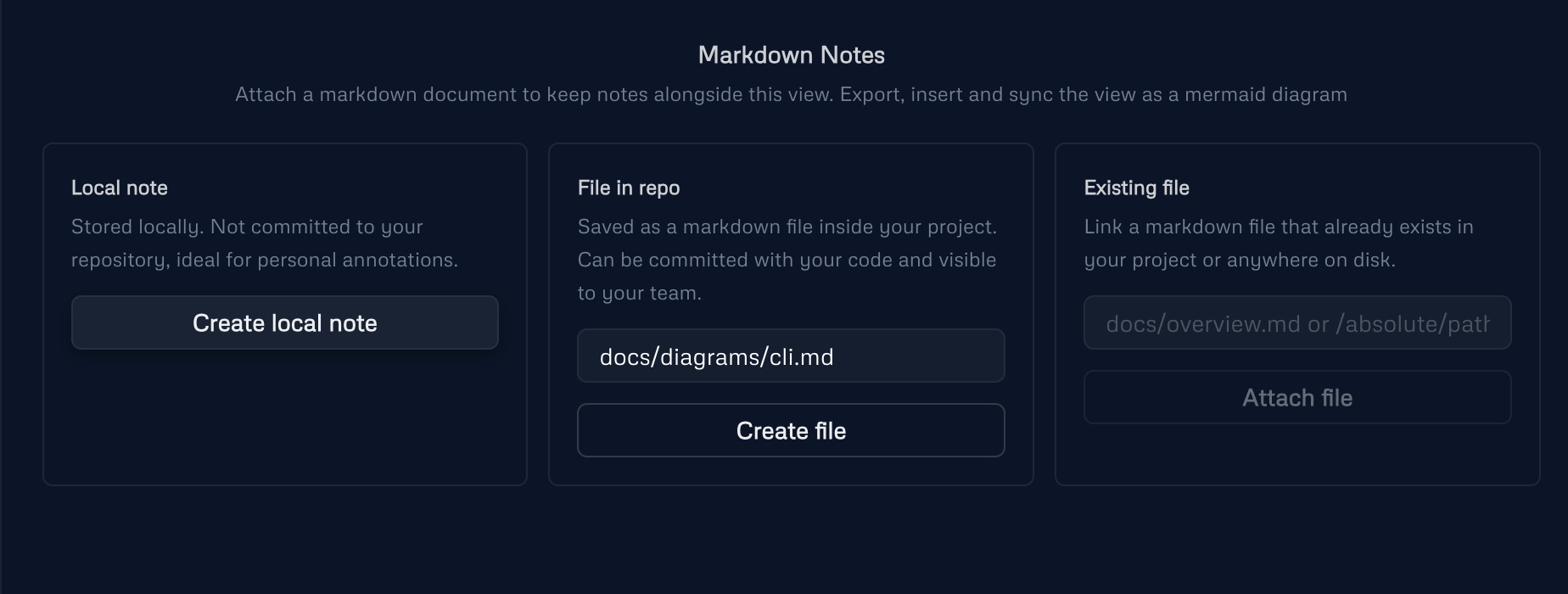
Local note
Section titled “Local note”This creates a local markdown file in the TLD_DATA_DIR directory. Keeps the markdown file
File in Repo
Section titled “File in Repo”This creates a markdown file in current git repository, assuming you ran tld serve from the root of the repo. This is great for keeping notes versioned and close to the code.
Existing File
Section titled “Existing File”Import and link to an existing markdown file anywhere on your system. This could be your main README.md or a project-specific notes file.
Mermaid Sync
Section titled “Mermaid Sync”This feature allows you to associate a markdown file and insert a mermaid diagram into it that can be kept in sync with the tld diagram.
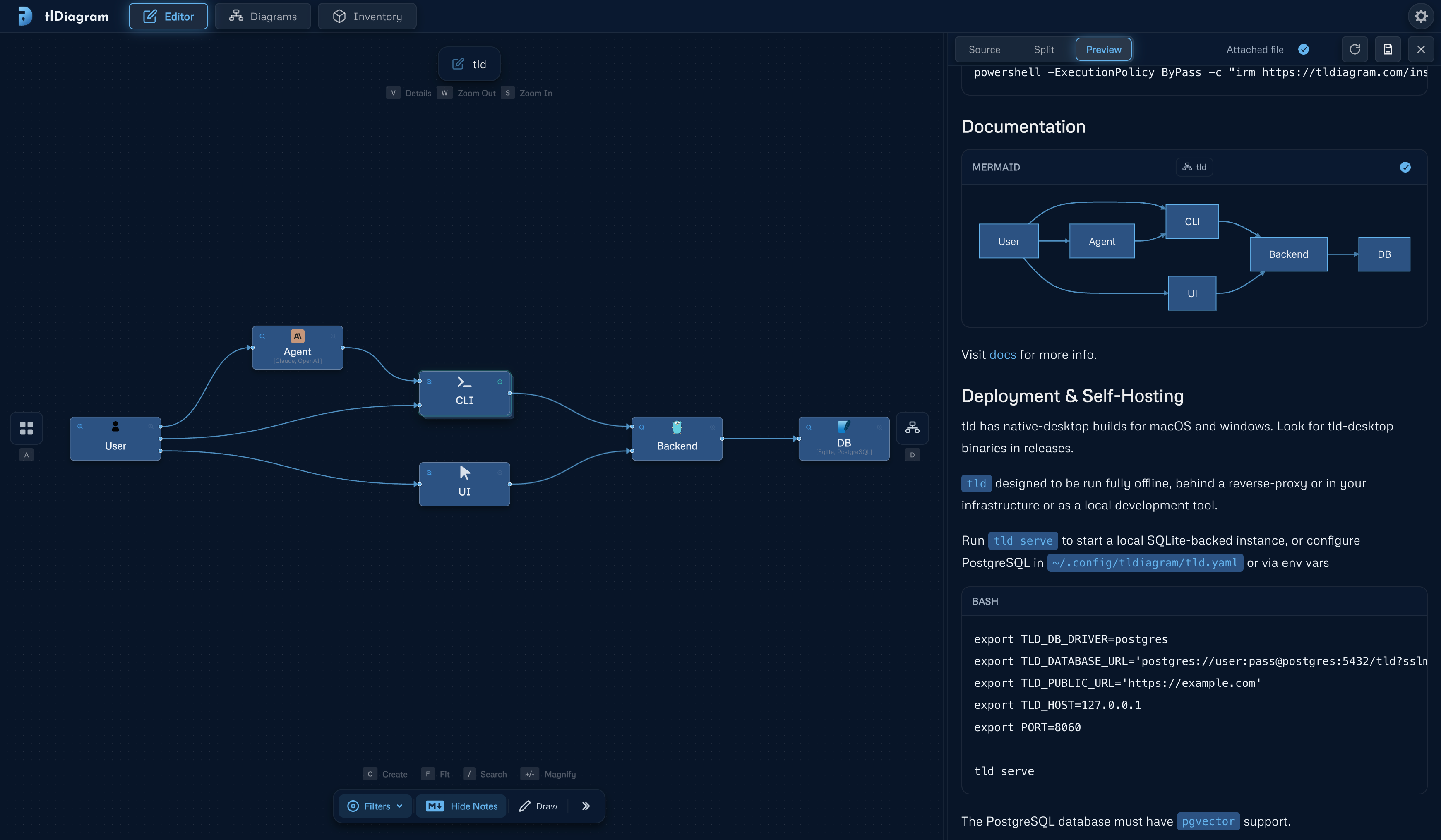
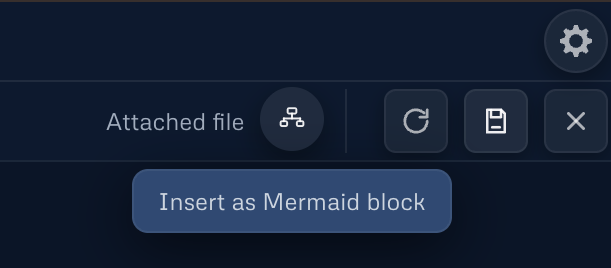
Enable the setting toggle from the top right settings menu first. Then you will find the option to export the current view as a mermaid code block and insert it at current cursor position in the markdown file.
There are three types of mermaid code blocks that you can find in tld’s markdown editor.
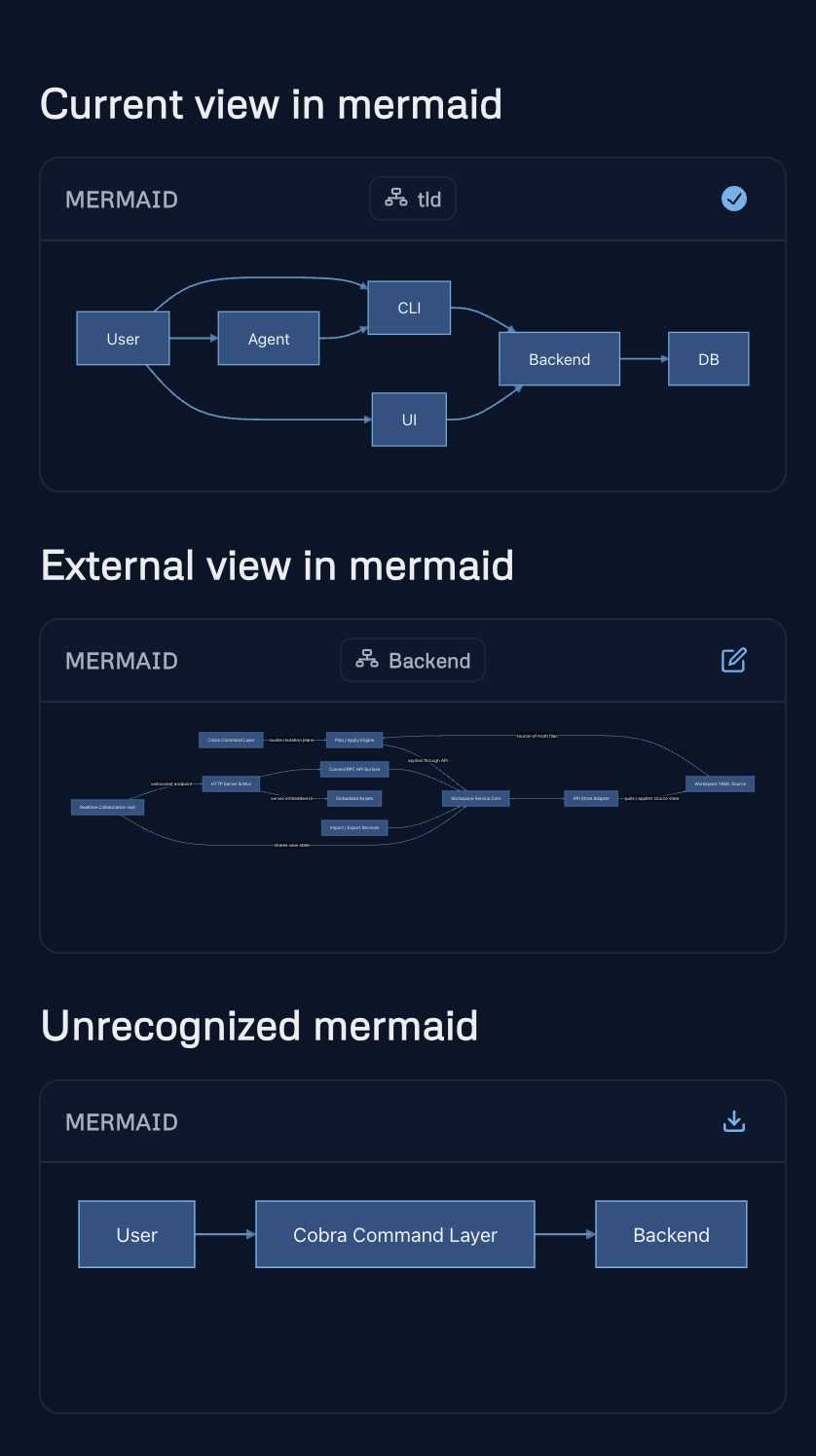
Current View in mermaid shows the mermaid and tld sync state, allows you to update the mermaid code block with the latest changes from the tld view.
External View in mermaid is useful if you have multiple tld enriched mermaid diagrams in a single markdown. It allows you to quickly open the associated tld view by clicking the button on the right.
Unrecognized mermaid is a mermaid code block that is any other type of mermaid code block that is not associated with a tld view. You can use the button to import the mermaid into the current tld view.
Mermaid Metadata Enrichment
Section titled “Mermaid Metadata Enrichment”In order to be able to sync the tld diagram with the mermaid code block, tld adds some metadata to the mermaid code block in the markdown file. tld uses comments in the mermaid code to store this information which makes it compatible with any markdown editor and mermaid renderer but makes it harder to edit the mermaid code block manually.
flowchart LR  node_3["UI"]  node_4["CLI"]  node_5["User"]  node_6["Agent"]  node_8["Backend"]  node_9["DB"]
  node_5 --> node_4  node_5 --> node_3  node_5 --> node_6  node_6 --> node_4  node_4 --> node_8  node_3 --> node_8  node_8 --> node_9
metadata annotation turns the mermaid above into the one below which tld can keep in sync with the diagram.
flowchart LR%% tld/v1 view=2  node_3["UI"]%% tld-element ref=node_3 x=-1170 y=-300  node_4["CLI"]%% tld-element ref=node_4 x=-1170 y=-480 hasView=1  node_5["User"]%% tld-element ref=node_5 x=-1860 y=-390 tech=user logo=/icons/user.svg techLinks=catalog:user:user:1  node_6["Agent"]%% tld-element ref=node_6 x=-1500 y=-570 tech=Claude\, OpenAI logo=/icons/claude-ai.svg techLinks=catalog:claude-ai:Claude:1|catalog:openai:OpenAI:0  node_8["Backend"]%% tld-element ref=node_8 x=-750 y=-390 tech=Go logo=/icons/go.svg techLinks=catalog:go:Go:1 hasView=1  node_9["DB"]%% tld-element ref=node_9 x=-420 y=-390 tech=Sqlite\, PostgreSQL logo=/icons/sqlite.svg techLinks=catalog:sqlite:Sqlite:1|catalog:postgresql:PostgreSQL:0
  node_5 --> node_4%% tld-connector ref=1 source=node_5 target=node_4  node_5 --> node_3%% tld-connector ref=2 source=node_5 target=node_3  node_5 --> node_6%% tld-connector ref=3 source=node_5 target=node_6  node_6 --> node_4%% tld-connector ref=4 source=node_6 target=node_4  node_4 --> node_8%% tld-connector ref=7 source=node_4 target=node_8  node_3 --> node_8%% tld-connector ref=8 source=node_3 target=node_8  node_8 --> node_9%% tld-connector ref=9 source=node_8 target=node_9